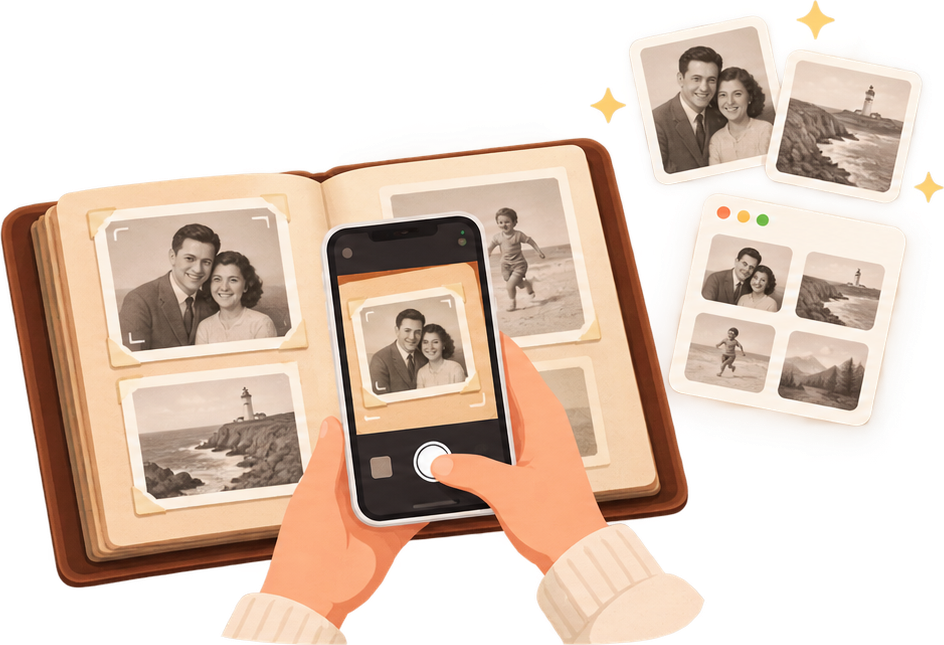
Photograph each page with your phone. We crop every picture, read handwritten dates and captions, and create a chronological album your family can browse online or download as their copy.
No scanner neededOriginals always keptPrivate family sharingRecord a story to each photo
How it works
Snap it, build it, share it.
1. PhotographSnap each album page with your phone.2. UploadWe find the photos, read the text and dates.3. ShareGet a private web album and send one link to family.
Edit, add, download
Add text or datesRelatives can identify people, correct dates, and add stories.Upload more albumsInvite family members to contribute their own albums.Keep your backupDownload everything or export your photos.
Pricing
Pay once to digitize. Subscribe to keep it alive.
The AI work of digitizing an album happens once — so Pro is a one-time price. Keeping the family album hosted, shared, and growing over time is ongoing — so Premium is a subscription.
Free
$020 pages, across all your albums (roughly one small album)
Try it — the full pipeline on as many separate albums as you like, no card required.
Renews yearly — cancel any time before your next renewal.
Locked features are visible on every plan’s admin page — upgrade any time to unlock them, your album stays exactly as it is.
Why families use Scanalbum
Three reasons people finally scan the album.
IRREPLACEABLE FAMILY ALBUMS
One water leak, one move, one house fire — and it's gone for good
Most family albums exist as a single physical copy sitting in an attic or a closet, seen by fewer people every year. Photograph it once and every child and grandchild gets their own copy of the whole thing — not just a description of it.
Family angle: Do you have an irreplaceable album in the family you keep meaning to share with the kids and grandkids?
FAMILY STORIES AND VOICES
The photo survives. The story behind it usually doesn't
A caption gives you a name and a year. It doesn't give you the story your grandmother would tell if you asked her about the picture today. Attach a short recorded audio story to any photo, in her own voice, before that's no longer possible.
Preservation angle: Worried the stories behind the photos will be lost? Digitize the album and have grandma record an audio story about the pictures.
ALBUMS THAT LIVE, NOT JUST SURVIVE
A digitized album is only worth it if people actually look at it again
Digitize the albums that matter most and put them up on a screen, rotating full-screen through the family's history, next time everyone's actually in the same room.
Sharing angle: Digitize your most important albums and let them live — rotate them full-screen for the whole family at the next gathering.
See the AI at work
Automatic AI detection.
A real screenshot from a real account, not a staged example.
Pictures are automatically cropped, and text and dates are found and matched with the correct photo. Nothing is locked in — add, delete, drag, resize, or rotate any box, and every caption is editable by hand.
Curious how the detection and family sharing actually work under the hood? Read the full documentation.
What you get
One page in, multiple photos outA single photographed spread often holds several mounted prints — each comes out as its own photo.Sorted the moment you uploadDates read from captions place every photo in the right order automatically.A link, not a loginFamily can browse the finished album without creating an account.
No scanner needed
How to take good pictures.
Not a strict recipe — just what makes photographing an album come out clean and sharp.
Light it evenly from both sides
Two lamps, one on each side, angled in at roughly 45 degrees. A second light source pointed up at the ceiling for soft bounce light helps too — the goal is no harsh shadow falling across the page.
One photo, high resolution, no zoom
A single photo of the whole spread is all you need — hold the phone flat and level above the page. Use your camera's full resolution and avoid zooming in, which loses detail exactly where you need it.
Build a simple stable rig
A plank spanning two boxes (or stacks of books), with the phone resting flat on top facing straight down. This keeps every page at the same distance and angle — use the screen tap or a self-timer to fire the shutter without moving the phone.
Or use a selfie stick, held overhead
Mount the phone on a small tripod or selfie stick positioned flat and overhead, and fire the shutter with a Bluetooth remote while your other hand turns the page. This is the method we actually recommend.
Keep it flat to avoid glare
Glare almost always comes from the page not lying flat. If the album has a thick spine, prop up the outer edges with a couple of books so the whole spread sits level.
What Scanalbum does
Built specifically for old photo albums.
AI photo detection
Finds and crops every individual photo from a photographed album page or spread, straightened and ready to view.
Dates read automatically
Handwritten captions and years are read from the page. An undated page inherits the date from the last page that had one — photograph pages in order and dates carry forward correctly.
Chronological by default
Every photo lands in date order automatically, oldest to newest, with the original page a click away.
Originals always kept
The full, unedited photo of every album page is preserved — nothing is discarded, only copied and cropped.
Correct file dates, not just on-screen
When we crop a photo, we write the real date into the image file itself — so it sorts correctly if you later download it or import it into Google Photos.
Share with a private link
One link for the whole family. Add an email-code check for extra privacy so the link can't be casually forwarded.
See it in action
Browse a sample album.
A synthetic demo album — illustrated placeholders standing in for real photos — showing exactly how a finished Scanalbum album works: sorted chronologically, dates and captions on every photo, and a link back to the original page.
Any phone from the last several years is fine. Even lighting matters more than camera quality — our AI does the rest.
Can I photograph several photos at once?
Yes — that's the point. Photograph a whole album page or spread, and each mounted photo on it is found and cropped out individually.
Are original album pages kept?
Always. The full, unedited photo of every page is preserved and stays a click away from the photos cropped from it.
Can family members comment?
Yes — they register a first name, last name, and email once, and can then comment on any photo. You decide whether they can also edit captions and dates.
Can I download everything later?
Yes, any time on Pro or Premium — every original page and every cropped photo, as a single download.
 Scanalbum